
Editing in Clipchamp Just Got Trickier with OneDrive Requirement


 3 min. read
  Published on

Microsoft, albeit being one of the most successful consumer tech companies, has a long history of nagging users with other nonsensical limitations. Although the company recently promised Windows 11 users that it would actively work on their feedback and fix the OS from scratch, it hasn’t delivered on that promise, and in fact, it has made a few things worse. This time, Microsoft is in the spotlight for adding an annoying limitation to its built-in Windows 11 video editor, Clipchamp.
You must save your Clipchamp projects to OneDrive to edit them later
As reported by folks at Windows Latest, Microsoft now requires all Clipchamp projects to be saved to OneDrive to remain editable. If you want to save projects locally, you can archive them on your PC. However, you’ll need to upload them to OneDrive if you want to edit them later.
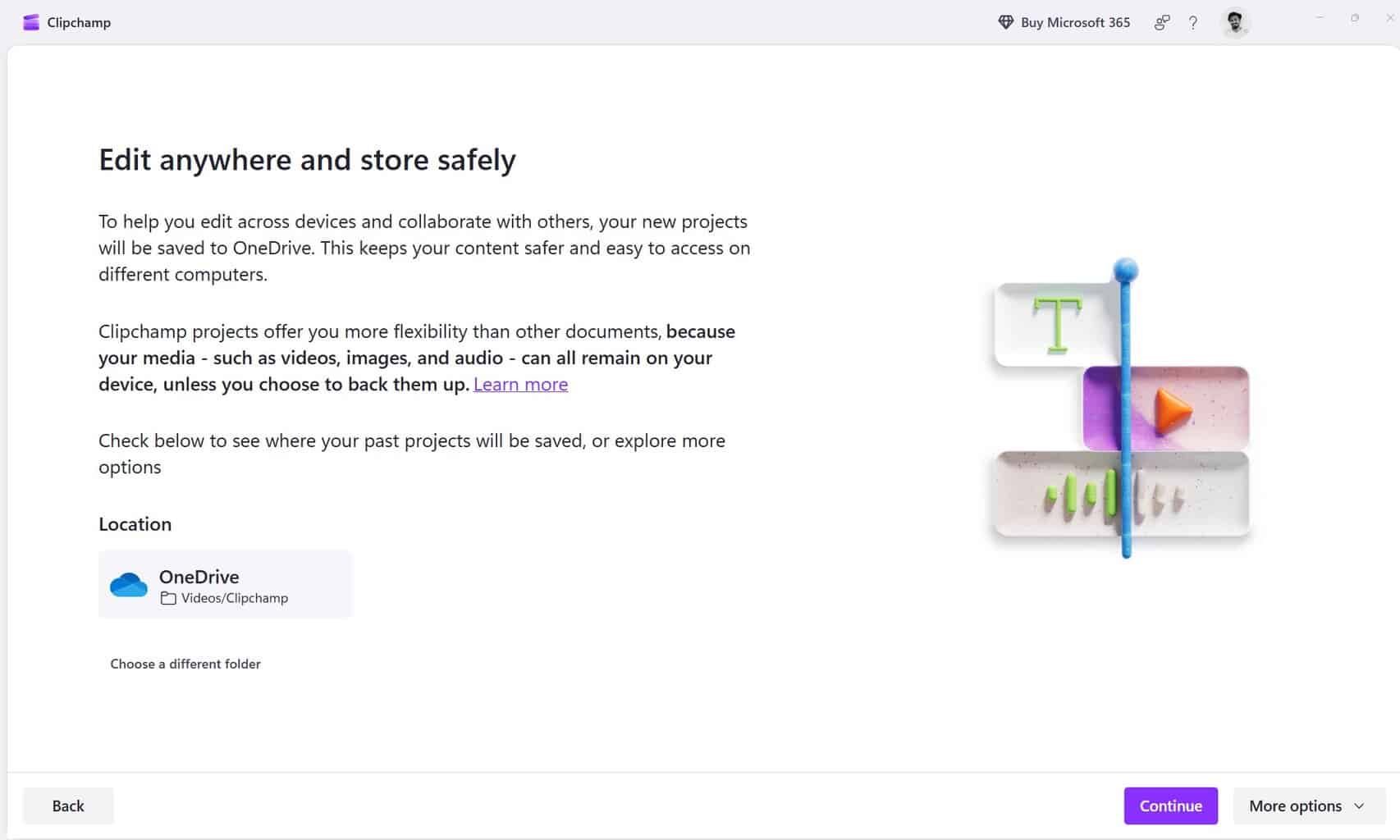
As seen in the pop-up shared below, Microsoft notes that media files themselves remain on the device unless backed up, but project files must be stored in the cloud for continued access. When clicking the “More Options” button, you are presented with two choices: “Store on your local disk” and “Discard all your past projects.”
Neither option fully solves the problem. When you store media files on your disk, they are eventually removed from Clipchamp. You’ll be asked to “Choose folder” to archive them, and must check a disclaimer reading, “I understand I need to upload my project files to OneDrive to edit them.” The permissions requested by Clipchamp are also concerning, as the pop-up states: “app.clipchamp.com will be able to view and make its own copies of files in Videos.”
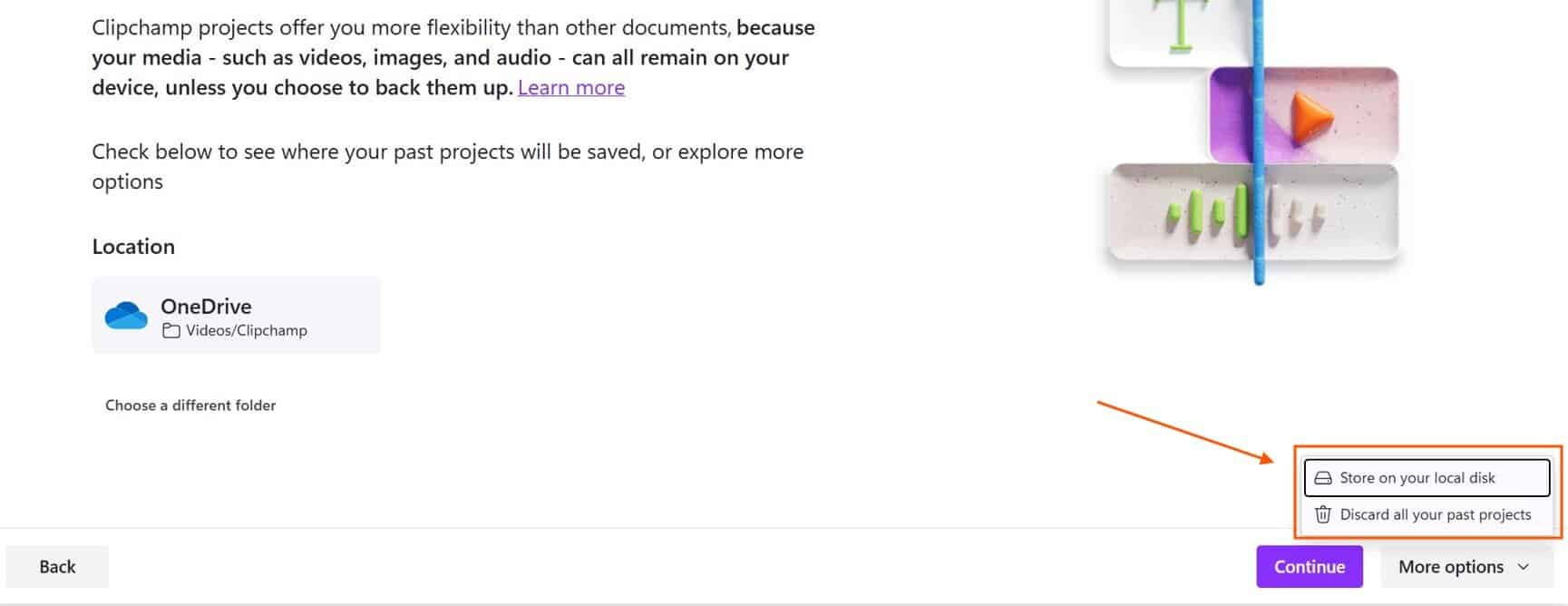
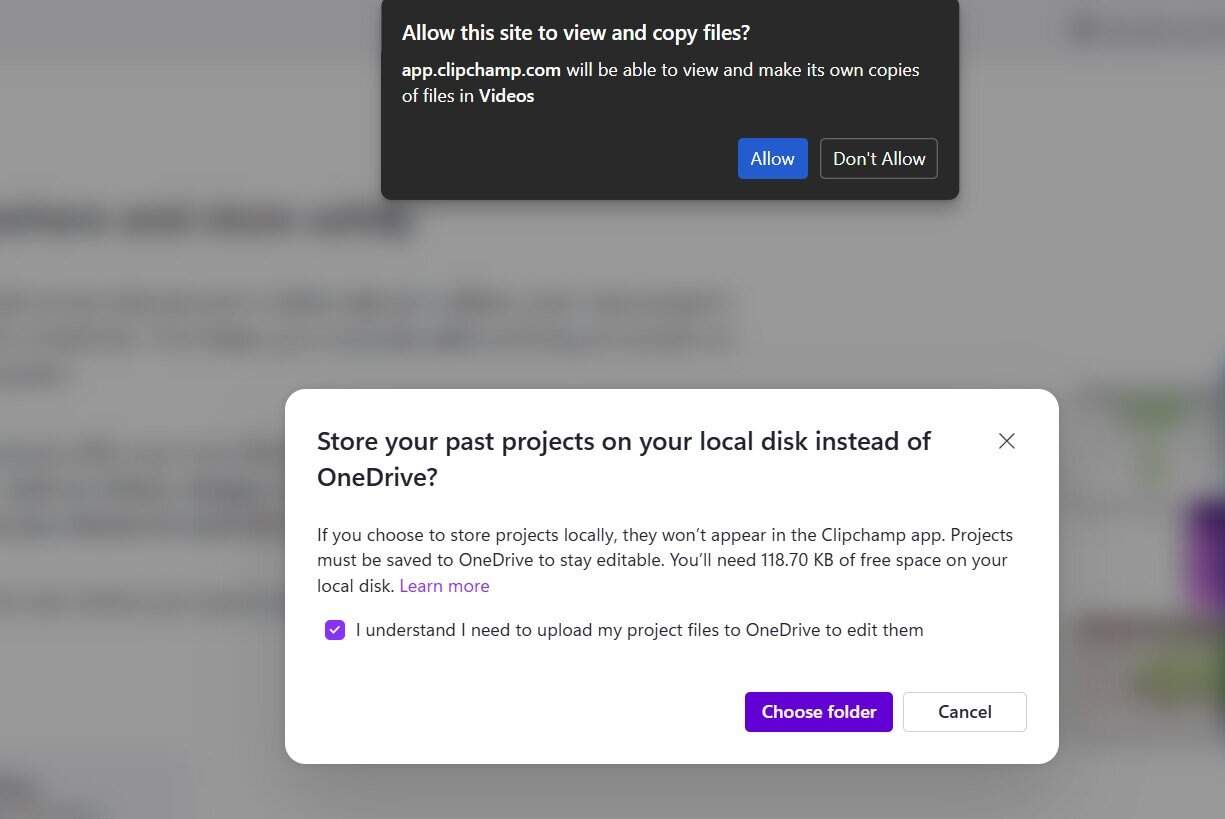
Image credit: Windows Latest
In an FAQ titled “What happens if I choose not to save my projects to OneDrive?” in Clipchamp’s Cloud Storage documentation, Microsoft notes: “If you don’t want to save your existing projects to OneDrive, you can archive them to your local disk. However, to edit again in the future, you’ll need to upload them to OneDrive.”
All that said, if you want to continue using Clipchamp to edit video files (which I personally won’t be doing), your only option is to back them up to OneDrive. If you’re looking for free alternatives that work as well as (or even better than) Clipchamp, be sure to check this guide. Speaking of Microsoft’s reliance on OneDrive, let’s not forget that, recently, the Microsoft 365 Copilot Mobile app also started uploading local files to OneDrive by default.

Read our disclosure page to find out how can you help Windows Report sustain the editorial team. Read more



Improve this guide


User forum
1 messages